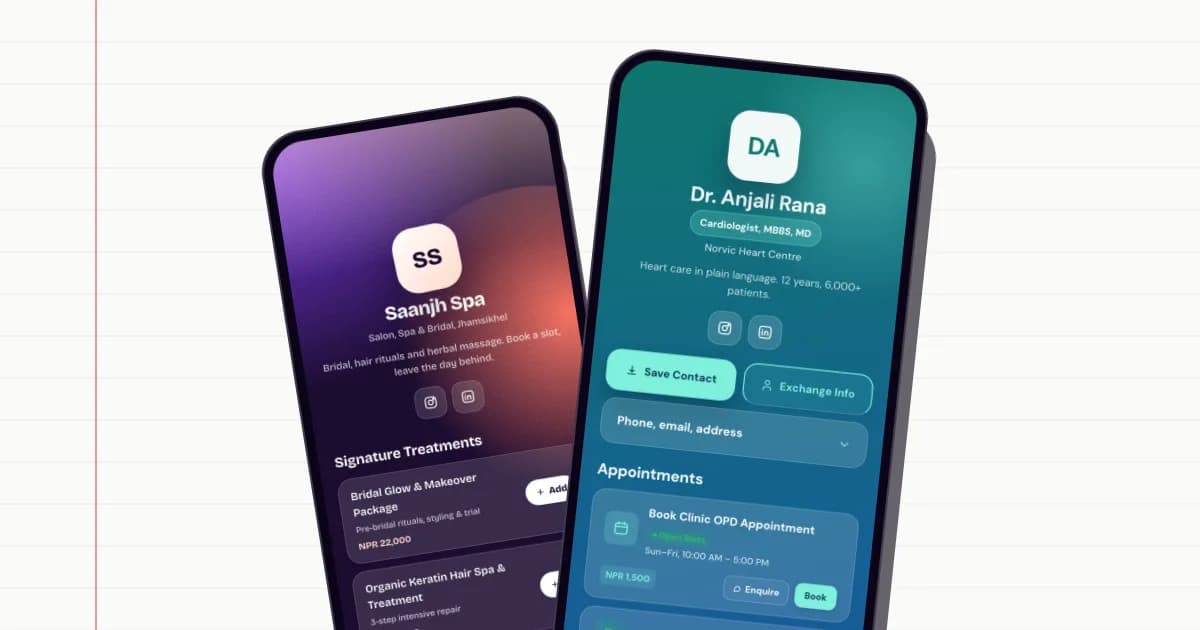
An online booking system for small businesses, on your own page
Clients pick a service, a day and an open slot, and the booking lands in your dashboard and your calendar. No more back-and-forth on the phone to find a time that works.
List what people can book: a haircut, a consultation, a lesson.
Each service has a name, a description, how long it takes and an optional price.
Choose in person, phone call or video call, with your address or instructions.
Clients book from the Booking block on your card or from your booking page.
Opening hours
Sunday to Thursday10:00–13:00, 14:00–18:00
Friday10:00–15:00
SaturdayClosed
Dashain holidayBlocked out
Example
Slots that follow your week
Set your hours once and golinq.me only offers times you can actually do.
Hours per weekday, with more than one window a day for a lunch break.
Slot length, a buffer between appointments, minimum notice and how far ahead people can book.
Block out holidays and days off, and a slot taken a moment ago can't be booked twice.
Turn on approval if you want to confirm each booking yourself first.
Your bookings
Anisha GurungFri 14:00 · Cut and blow-dry · Confirmed
Rohit ShresthaSat 11:00 · Consultation · Pending
Maya TamangSun 10:00 · Video call · Confirmed
Example
Emails, reminders and changes
Both of you get an email for every booking, with a calendar file attached.
A reminder goes to both sides about 24 hours before.
The client's email has a link to cancel or ask for another time. You decide on the new time.
Move a booking yourself and both calendars update.
Connect Google Calendar and each booking is added there, with a Google Meet link for video calls.
Which plans include it
Services and bookings are on the Professional and Business plans. golinq.me doesn't take payment for bookings; clients pay you the way they already do.
Personal: Free · Professional: NPR 299 a month · Business: NPR 999 a month
PlanPersonalFreeProfessionalNPR 299 a monthBusinessNPR 999 a month
Services and bookingsPersonal:Not includedProfessional:IncludedBusiness:Included
In Services, add each thing people can book, with its length and price.
2
Set your hours
Choose your time zone, weekly hours, slot length, buffer and notice period.
3
Choose how you meet
In person with an address, by phone, or by video with your own link or Google Meet.
4
Connect Google Calendar
Optional. Each new booking is then added to your calendar.
5
Add the Booking block
Put it on your card so visitors can book without leaving your page.
Common questions
Can clients book without calling me?
Yes. They pick a service, a day and an open slot on your page, enter their name, email and phone, and the booking is saved.
Can I approve bookings before they are confirmed?
Yes. Turn on approval and new bookings wait as pending until you confirm them.
Do clients get reminders?
Yes. Both you and the client get an email when the booking is made and a reminder about 24 hours before, with a calendar file attached.
Can a client cancel or reschedule?
Their email has a link to cancel, or to ask for another time. A reschedule request comes to you; the client can't move the booking on their own.
Does it work with Google Calendar and Google Meet?
Yes. Connect your Google account and each booking is added to your Google Calendar. Video bookings can get a Google Meet link, or use your own meeting link.
Can clients pay online when they book?
No. golinq.me shows the price but doesn't collect payment. Take it by eSewa, Khalti, Fonepay, bank transfer or cash.
Phone bookings interrupt your work and get forgotten. Here is how to set up online booking with your real opening hours, service lengths and reminder emails, without buying a clinic system.