A digital business card for doctors, with OPD appointment booking
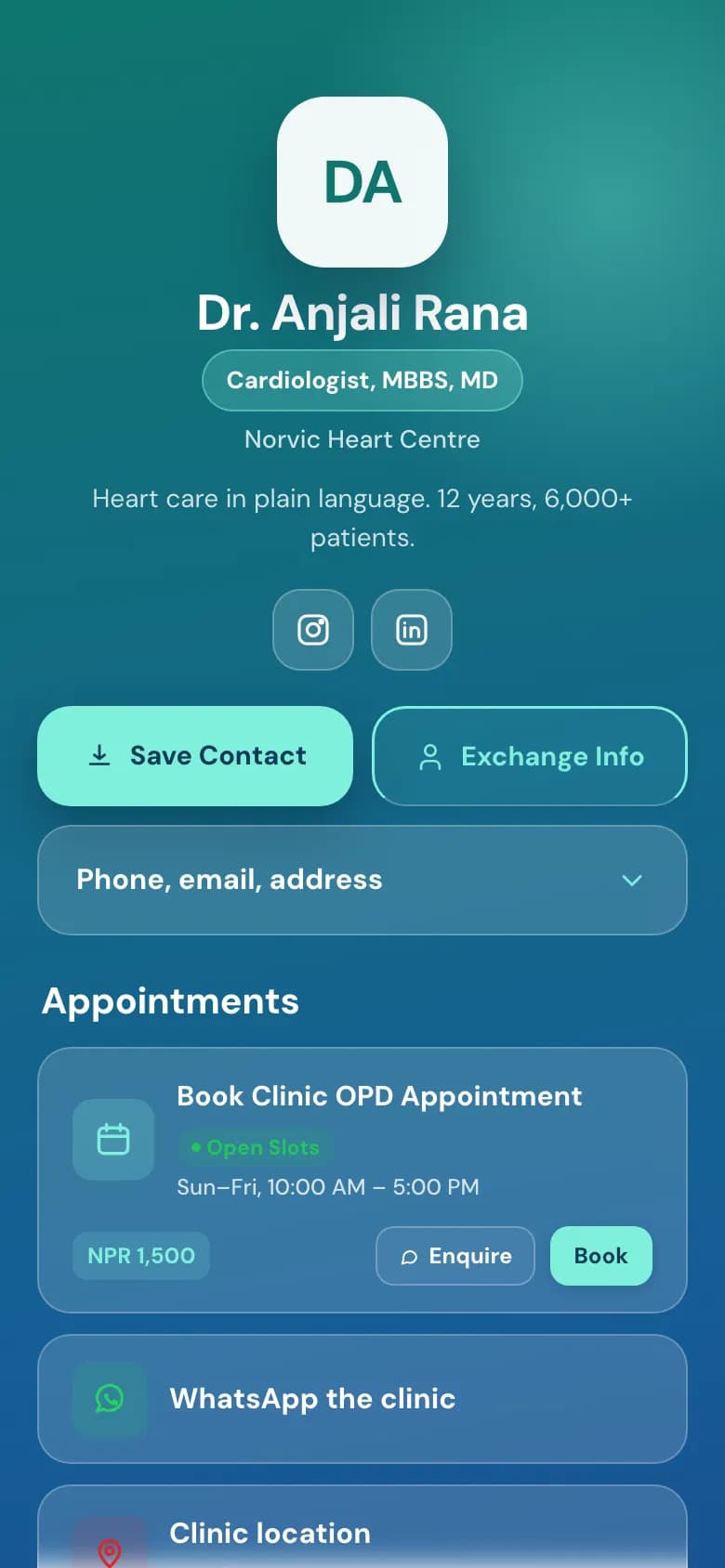
Patients open your page, see the consultation fee and your OPD hours, and book an open slot themselves. If their plans change, they move or cancel it from a link, not by calling reception.
The answers to the questions reception hears all day, on the first screen.
Your degrees and specialisation next to your name.
The consultation fee and follow-up rule, written the way you'd say them.
Your registration certificate or CV as a PDF, for patients who want to check.
OPD consultation
NPR 1,500
Open times on Sunday
10:00
10:20
10:40
11:20
12:00
14:00
Book 10:40
Example of the booking step
Book an OPD slot themselves
They pick the service, a day and one of your open times.
You set the days and hours, how long each slot is, and the gap between patients.
Close days for holidays or leave, and those days stop taking bookings.
Take every booking straight away, or approve each one first.
Your booking
OPD consultationSunday, 10:40 · 20 minNPR 1,500
ReschedulePick another open time
Cancel booking
Example
Move or cancel without calling
Every booking comes with a link to change it.
Patients reschedule to another open slot, or cancel, from that link.
Patients who leave an email get a confirmation and a reminder the day before.
Each patient who books is saved to your contacts with their phone number.
What you get for a clinic
Everything without a plan name is on the free Personal plan. Professional is NPR 299 a month and Business is NPR 999 a month, paid by eSewa, Khalti, Fonepay, bank transfer or card.
Save Contact
One tap puts your clinic's number, address and email into the patient's phone.
Services with feesProfessional plan
Each service has its own duration and price in NPR.
OPD hours and open slotsProfessional plan
Weekly hours, slot length, a gap between patients and minimum notice.
Reschedule and cancel linksProfessional plan
Patients change their own booking. The slot opens up for someone else.
Email confirmations and remindersProfessional plan
Sent to you and to patients who leave an email, a day before the visit.
Google CalendarProfessional plan
Bookings appear in your calendar. Video consultations get a Meet link.
Documents on the page
Registration certificate, CV or a price list as a PDF.
A page for each doctorBusiness plan
Invite the doctors in your clinic. Each keeps their own page in the clinic's style.
How to set it up
1
Pick the Doctor / Clinic template
Create your account and choose your handle, for example golinq.me/@drrana.
2
Add your credentials and clinic details
Degrees, specialisation, fees, clinic address and WhatsApp number. Upload your registration certificate as a PDF if you want it on the page.
3
Set up booking
On the Professional plan, add your services with prices and durations, then set your OPD days, hours and slot length.
4
Share it
Print the QR code for the reception desk and prescription pads, and send the link to patients on WhatsApp.
Common questions
Which plan do I need for appointment booking?
Booking is on the Professional plan (NPR 299 a month) and the Business plan. The free plan gives you the page, Save Contact and a QR code, without booking.
Can patients pay the consultation fee online when they book?
No. The fee is shown when they book, and they pay at the clinic or by eSewa, Khalti or Fonepay to you, the way they do now.
What if a patient needs to change their appointment?
Each booking comes with a link to reschedule or cancel. Patients who leave an email also get that link in their confirmation.
Can I close booking for Dashain or when I'm on leave?
Yes. Block out days or hours and no one can book into them. Your weekly hours stay as they are for the rest of the year.
Can I approve bookings before they are confirmed?
Yes. Turn on approval and each booking waits for you to confirm it. Otherwise open slots are confirmed straight away.